Ryan McDonough
Founder, Sometime Artist

CFO and co-founder @Accompany, acquired by @Cisco. Turnaround CFO @Ning, sold to Glam Media. Former seed VC. McKinsey trained. @Wharton School and @Haas School of Business.
CFO and co-founder @Accompany, acquired by @Cisco. Turnaround CFO @Ning, sold to Glam Media. Former seed VC. McKinsey trained. @Wharton School and @Haas School of Business.
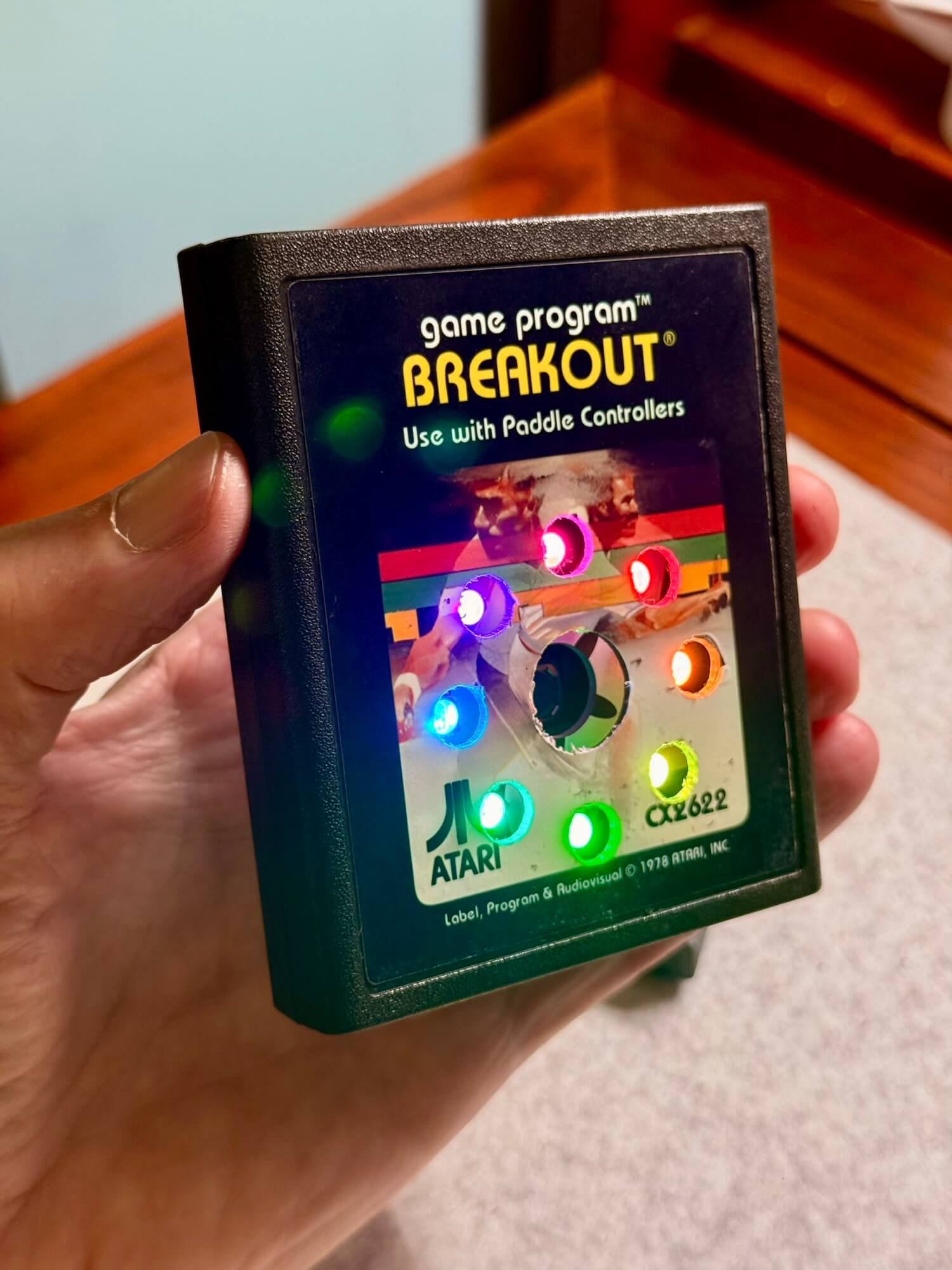
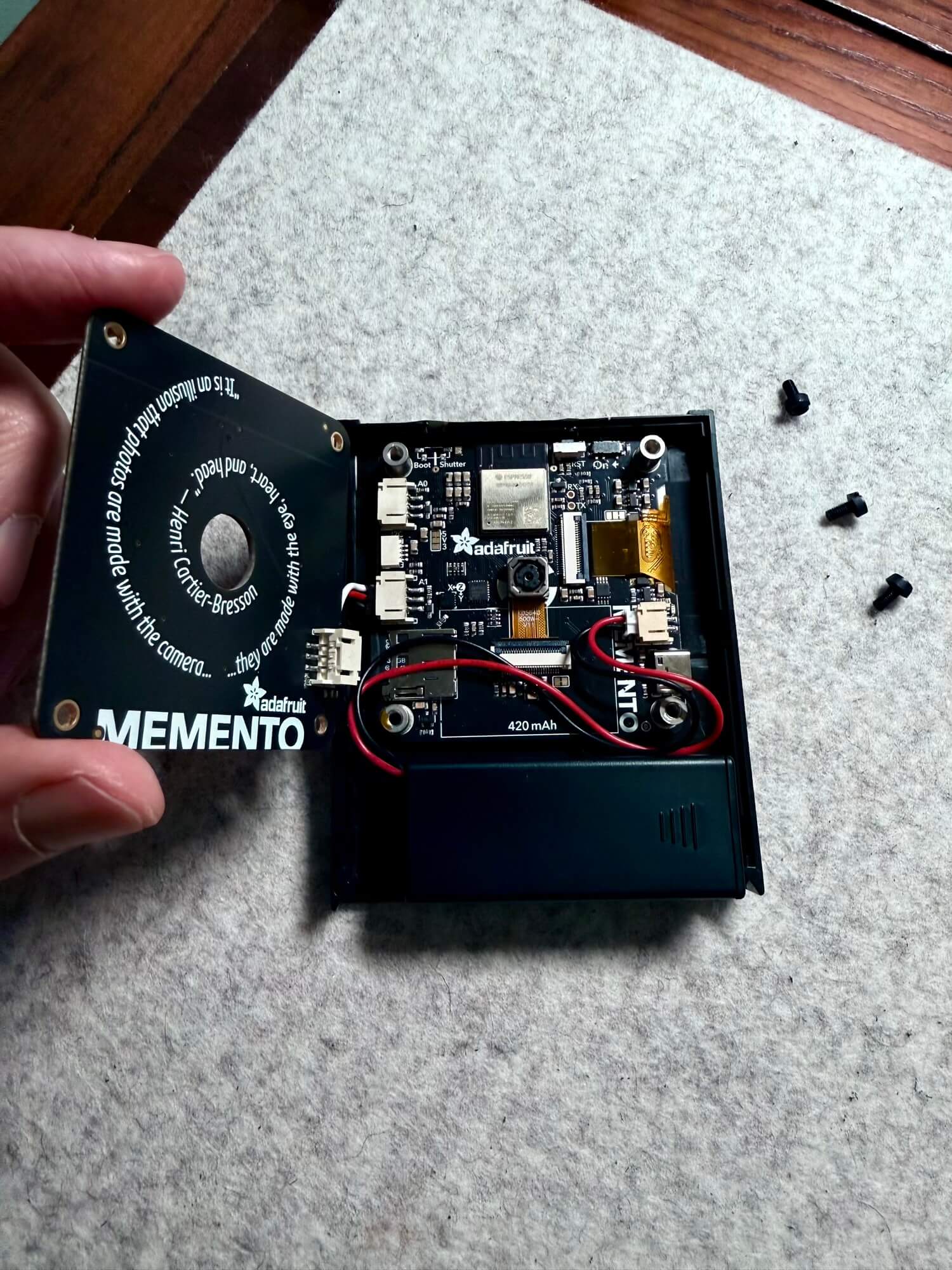
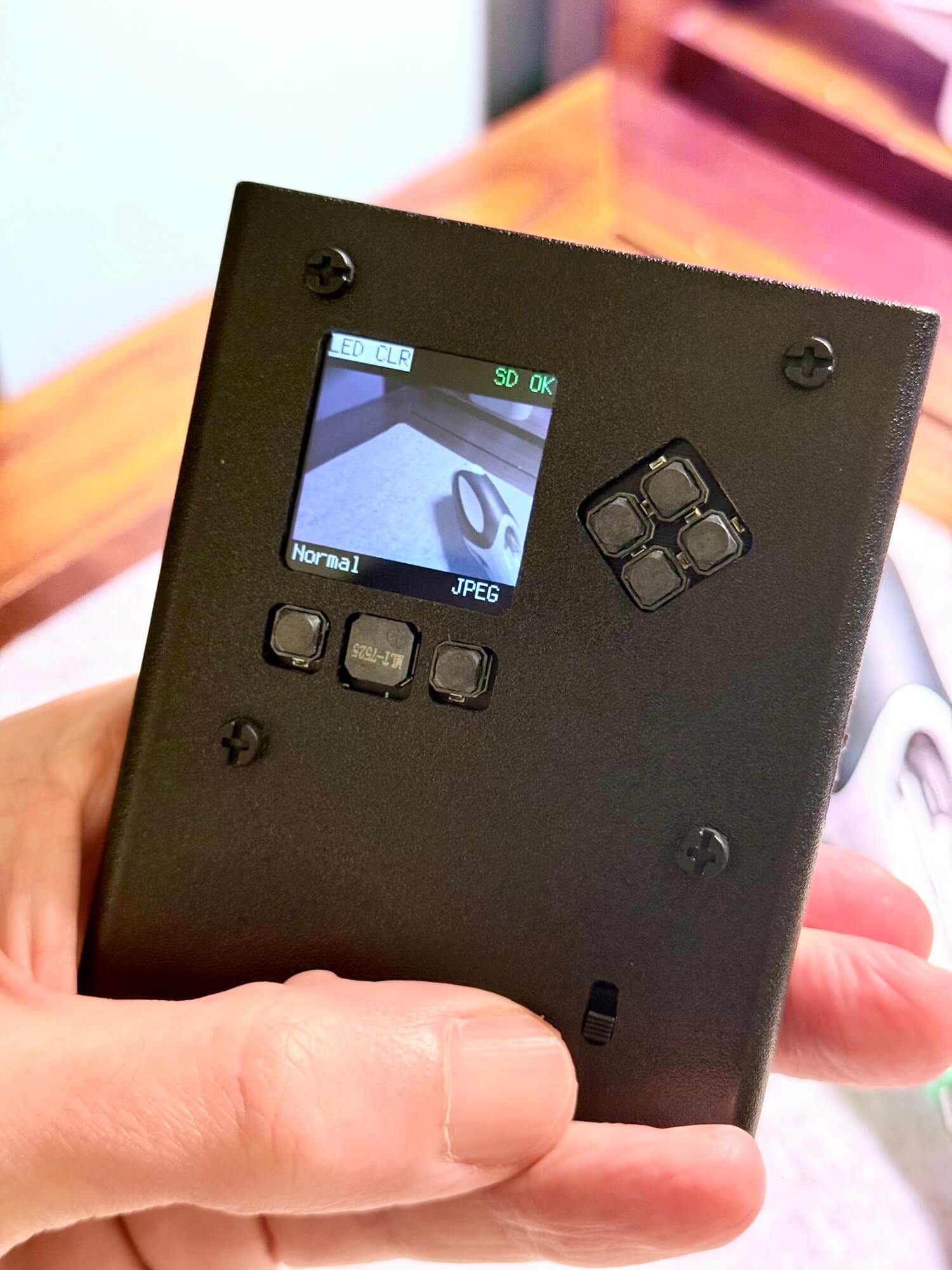
The heart of the build is the Adafruit Memento Camera, a tiny, hackable digital camera with a ring-light accessory, SD card slot, customizable firmware, and a surprisingly capable sensor.
But embedding it in a 40-year-old plastic shell was never going to be straightforward. The Memento board is compact but delicate; the original cartridge was never meant to house anything active, let alone a full imaging pipeline.
The goals were simple:
Then came an unexpected twist…
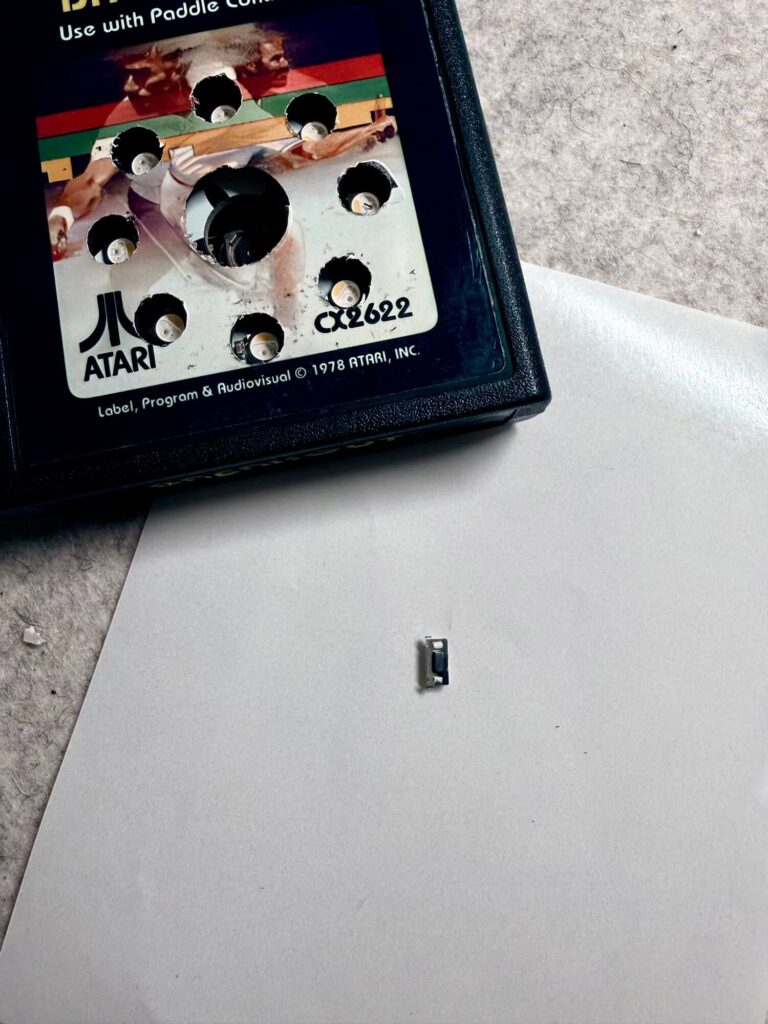
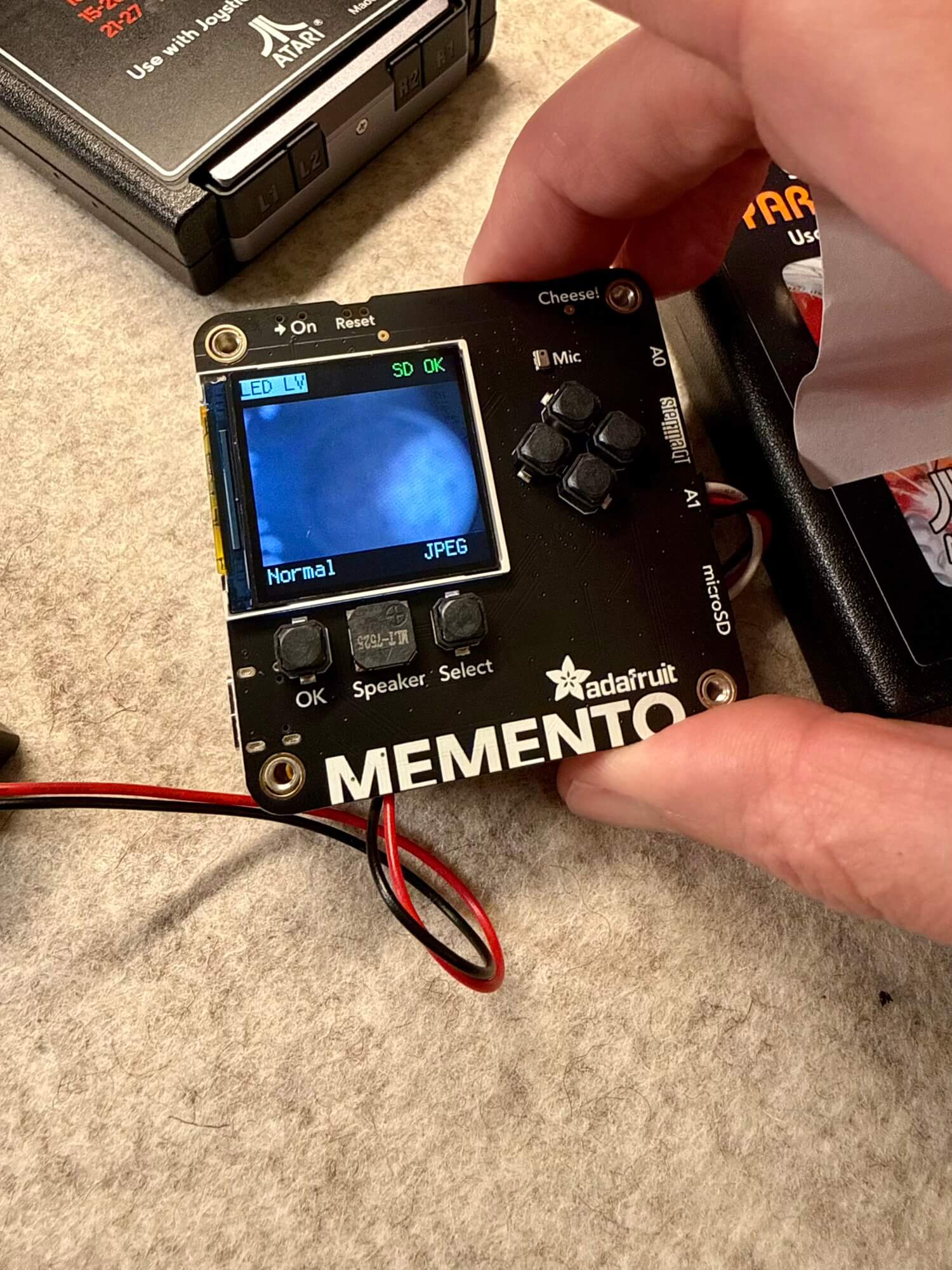
While milling the rear of the cartridge to expose the controls, I slipped — just enough to damage the Memento’s tiny onboard shutter button. It’s a surface-mount tact switch, not designed for sideways pressure or a Dremel wandering a millimeter too far.
So the shutter no longer clicked.
Instead of scrapping the board, I rewired the project’s logic:
I modified the firmware so the OK button becomes a full shutter replacement — including autofocus and capture behavior — while keeping the original shutter logic intact in software even though the hardware switch was toast.
It turned into a blessing:
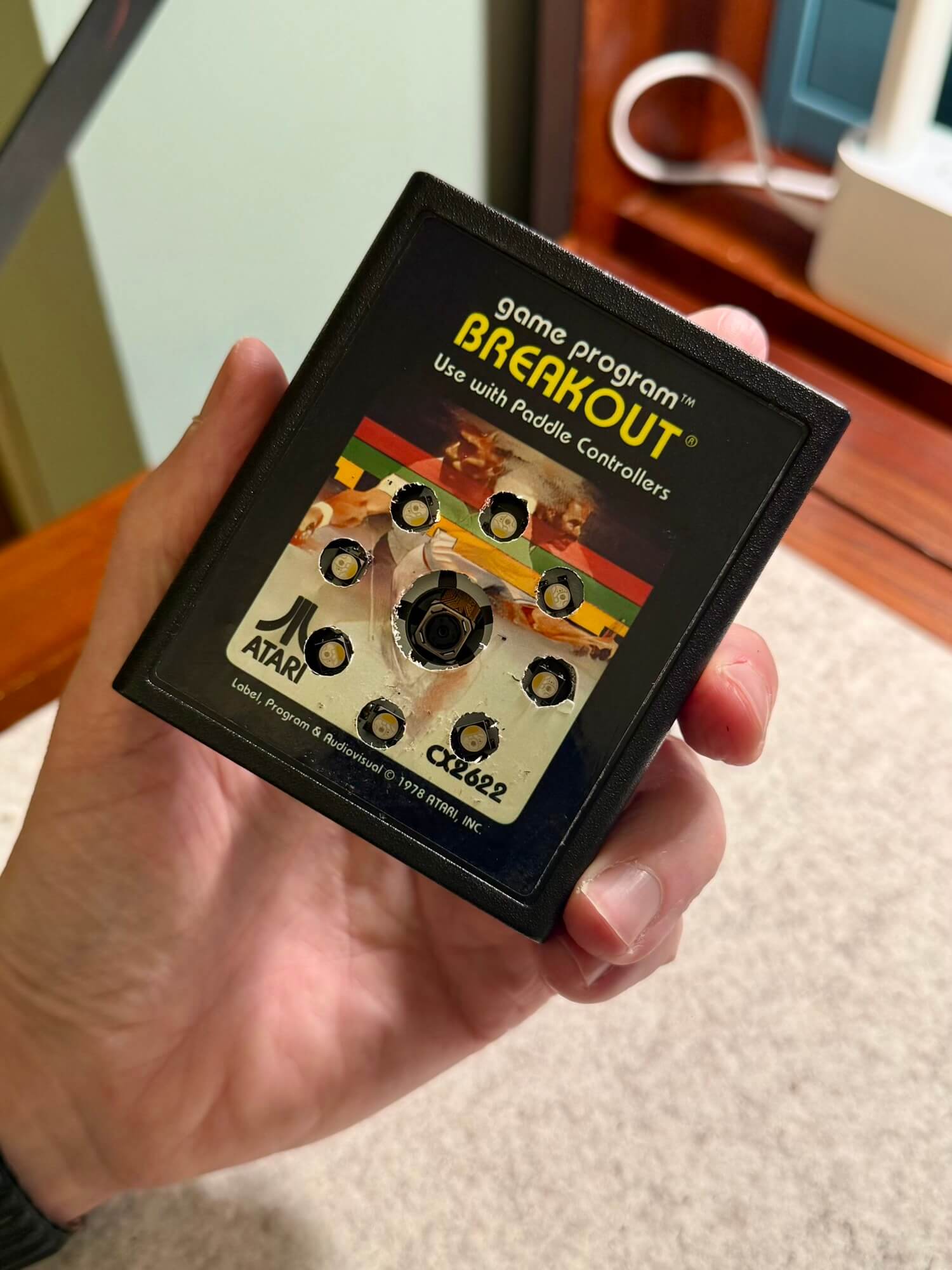
The back of the cartridge is now surgically opened — but in a way that respects the shape language of the original plastic.
This is the kind of build where you measure four times, cut twice, and then start over — and I loved every minute of it.
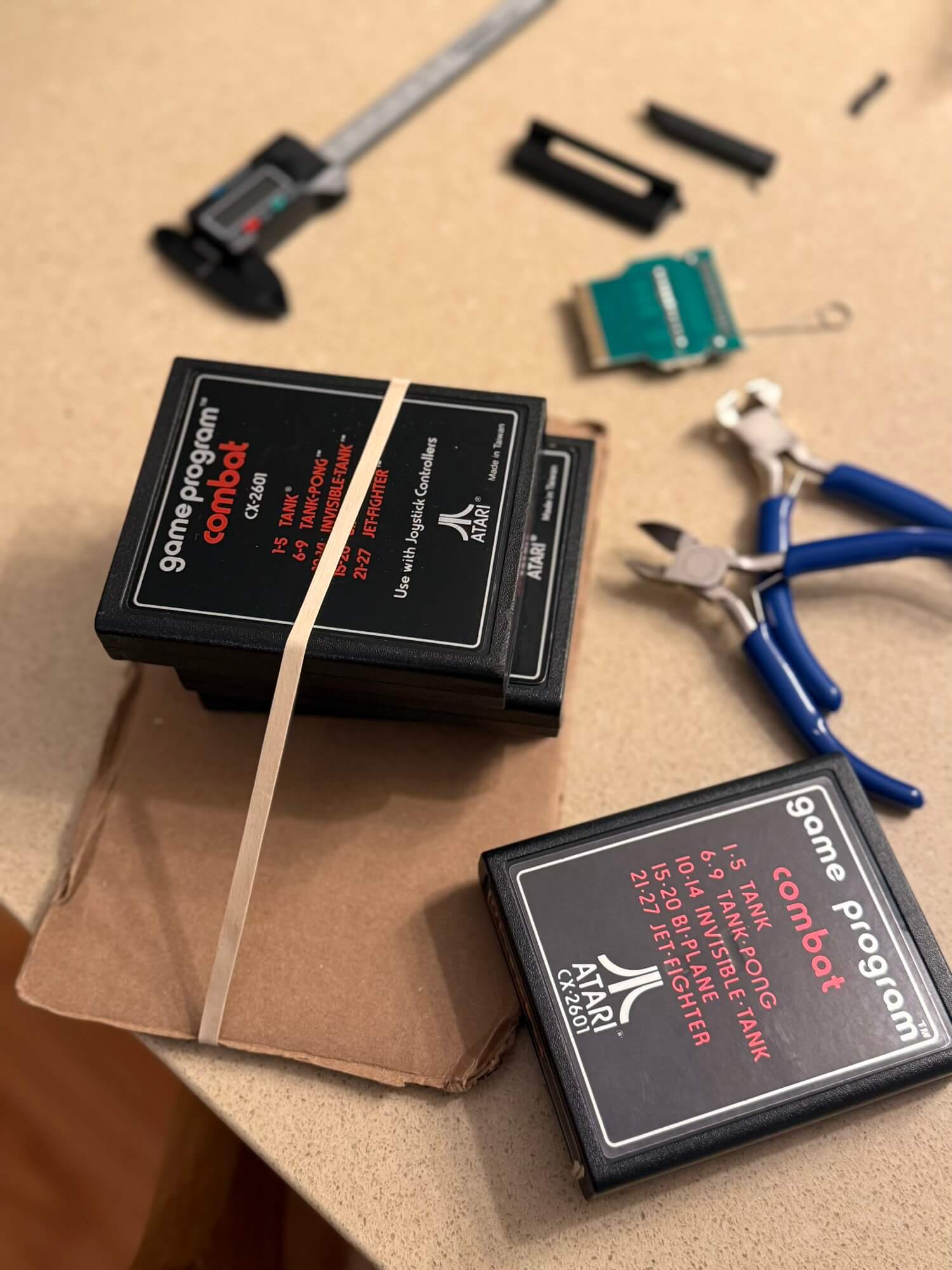
The Memento’s stock power switch is workable for prototypes but too fragile for a cartridge housing. Instead, I mounted a dual AAA battery pack inside and used its built-in on/off switch.
I milled a clean rectangular opening so the switch is now the cartridge’s external power toggle.
The benefits:
It accidentally feels like a feature Atari would have shipped.
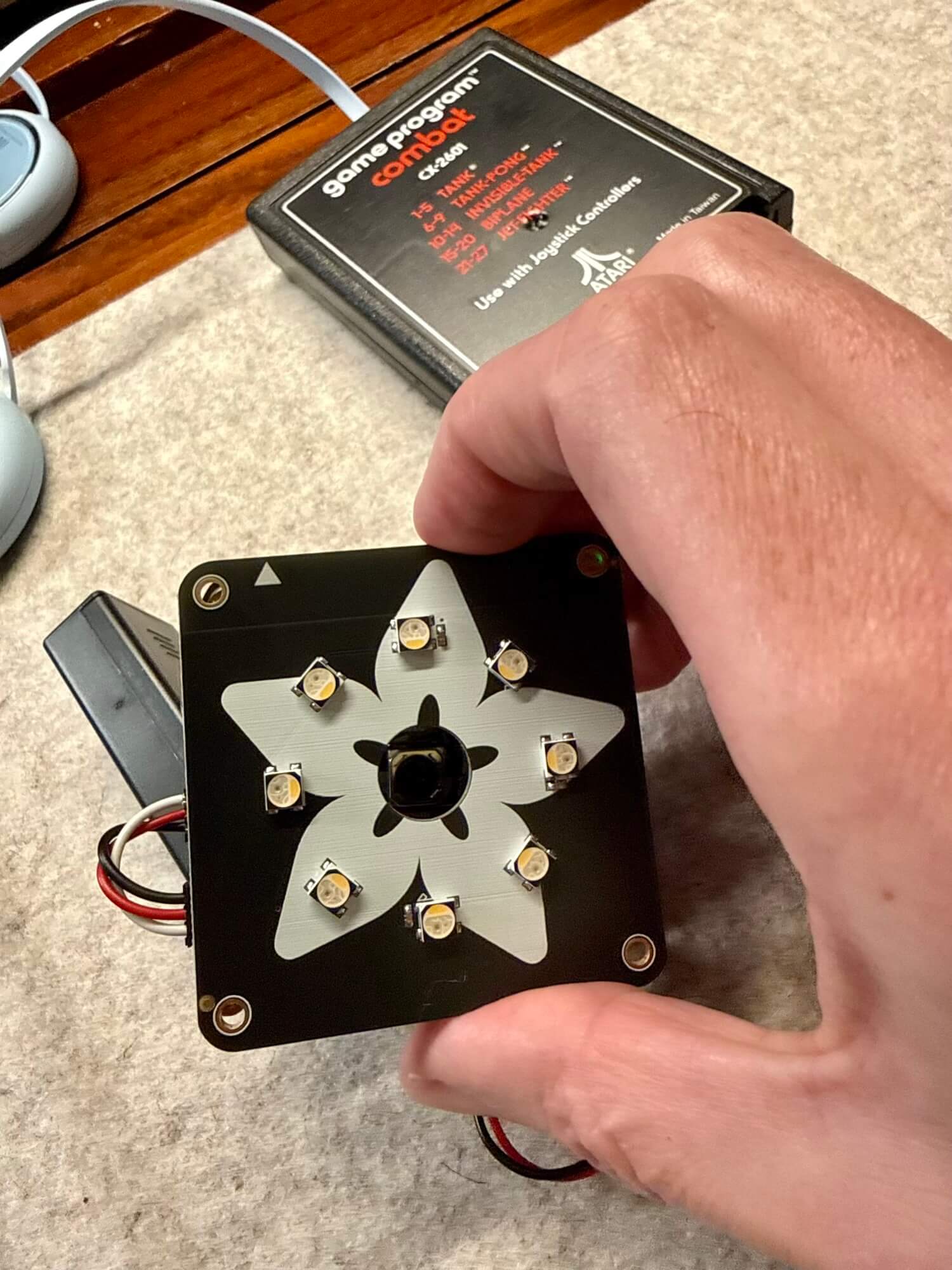
Around the central camera opening, eight holes allow the LED ring to shine through.
When the Memento fires its built-in ring light, the Breakout label glows — soft, symmetrical, and unmistakably futuristic through a 1970s lens.
At night, the effect is magical.
In daylight, it looks like a small piece of arcade hardware escaped into the present.
his may be my favorite part: the build feels right in your hand.
This isn’t just a camera hiding inside a cartridge.
It’s a cartridge that has become a camera.
Breakout was always a clever game — deceptively simple, endlessly replayable, and a milestone for early Apple engineers. It was a game about reaction, timing, tinkering, and feedback loops.
This build channels the same spirit.
In my growing catalog of Nostalgia Machines, this one sits at the intersection of childhood memory, modern hardware, and the creative chaos that comes from breaking something… and then rebuilding it better.
In an alternate universe where Atari leaned into experimental hardware, the Breakout Camera might have been a real product.
In our universe, it lives here — as a one-off, lovingly modded artifact.

Slight modification to Adafruit’s code to change the OK button to the “shutter” button. https://learn.adafruit.com/adafruit-memento-camera-board/fancy-camera
					# SPDX-FileCopyrightText: 2023 Jeff Epler for Adafruit Industries
# SPDX-FileCopyrightText: 2023 Limor Fried for Adafruit Industries
#
# SPDX-License-Identifier: Unlicense
import os
import ssl
import time

import adafruit_ntp
import adafruit_requests
import bitmaptools
import displayio
import gifio
import rtc
import socketpool
import ulab.numpy as np
import wifi

import adafruit_pycamera

# Wifi details are in settings.toml file, also,
# timezone info should be included to allow local time and DST adjustments
# # UTC_OFFSET, if present, will override TZ and DST and no API query will be done
# UTC_OFFSET=-25200
# # TZ="America/Phoenix"

UTC_OFFSET = os.getenv("UTC_OFFSET")
TZ = os.getenv("TZ")

print(f"Connecting to {os.getenv('CIRCUITPY_WIFI_SSID')}")
SSID = os.getenv("CIRCUITPY_WIFI_SSID")
PASSWORD = os.getenv("CIRCUITPY_WIFI_PASSWORD")

if SSID and PASSWORD:
    wifi.radio.connect(os.getenv("CIRCUITPY_WIFI_SSID"), os.getenv("CIRCUITPY_WIFI_PASSWORD"))
    if wifi.radio.connected:
        print(f"Connected to {os.getenv('CIRCUITPY_WIFI_SSID')}!")
        print("My IP address is", wifi.radio.ipv4_address)
        pool = socketpool.SocketPool(wifi.radio)

#        if UTC_OFFSET is None:
#            requests = adafruit_requests.Session(pool, ssl.create_default_context())
#            response = requests.get("http://worldtimeapi.org/api/timezone/" + TZ)
#            response_as_json = response.json()
#            UTC_OFFSET = response_as_json["raw_offset"] + response_as_json["dst_offset"]
#            print(f"UTC_OFFSET: {UTC_OFFSET}")
#
#        ntp = adafruit_ntp.NTP(pool, server="pool.ntp.org", tz_offset=UTC_OFFSET // 3600)
#
#        print(f"ntp time: {ntp.datetime}")
#       rtc.RTC().datetime = ntp.datetime
    else:
        print("Wifi failed to connect. Time not set.")
else:
    print("Wifi config not found in settintgs.toml. Time not set.")

pycam = adafruit_pycamera.PyCamera()
# pycam.live_preview_mode()

settings = (
    None,
    "resolution",
    "effect",
    "mode",
    "led_level",
    "led_color",
    "timelapse_rate",
)
curr_setting = 0

print("Starting!")
# pycam.tone(200, 0.1)
last_frame = displayio.Bitmap(pycam.camera.width, pycam.camera.height, 65535)
onionskin = displayio.Bitmap(pycam.camera.width, pycam.camera.height, 65535)
timelapse_remaining = None
timelapse_timestamp = None

while True:
    if pycam.mode_text == "STOP" and pycam.stop_motion_frame != 0:
        # alpha blend
        new_frame = pycam.continuous_capture()
        bitmaptools.alphablend(
            onionskin, last_frame, new_frame, displayio.Colorspace.RGB565_SWAPPED
        )
        pycam.blit(onionskin)
    elif pycam.mode_text == "GBOY":
        bitmaptools.dither(
            last_frame, pycam.continuous_capture(), displayio.Colorspace.RGB565_SWAPPED
        )
        pycam.blit(last_frame)
    elif pycam.mode_text == "LAPS":
        if timelapse_remaining is None:
            pycam.timelapsestatus_label.text = "STOP"
        else:
            timelapse_remaining = timelapse_timestamp - time.time()
            pycam.timelapsestatus_label.text = f"{timelapse_remaining}s /    "
        # Manually updating the label text a second time ensures that the label
        # is re-painted over the blitted preview.
        pycam.timelapse_rate_label.text = pycam.timelapse_rate_label.text
        pycam.timelapse_submode_label.text = pycam.timelapse_submode_label.text

        # only in high power mode do we continuously preview
        if (timelapse_remaining is None) or (pycam.timelapse_submode_label.text == "HiPwr"):
            pycam.blit(pycam.continuous_capture())
        if pycam.timelapse_submode_label.text == "LowPwr" and (timelapse_remaining is not None):
            pycam.display.brightness = 0.05
        else:
            pycam.display.brightness = 1
        pycam.display.refresh()

        if timelapse_remaining is not None and timelapse_remaining <= 0:
            # no matter what, show what was just on the camera
            pycam.blit(pycam.continuous_capture())
            # pycam.tone(200, 0.1) # uncomment to add a beep when a photo is taken
            try:
                pycam.display_message("Snap!", color=0x0000FF)
                pycam.capture_jpeg()
            except TypeError:
                pycam.display_message("Failed", color=0xFF0000)
                time.sleep(0.5)
            except RuntimeError:
                pycam.display_message("Error\nNo SD Card", color=0xFF0000)
                time.sleep(0.5)
            pycam.live_preview_mode()
            pycam.display.refresh()
            pycam.blit(pycam.continuous_capture())
            timelapse_timestamp = time.time() + pycam.timelapse_rates[pycam.timelapse_rate] + 1
    else:
        pycam.blit(pycam.continuous_capture())
    # print("\t\t", capture_time, blit_time)

    pycam.keys_debounce()

    # --- Shutter + OK as extra shutter button ---
    # Top shutter:
    #   - long_press = autofocus
    #   - short_count = capture
    # OK:
    #   - acts like a shutter short press in all modes EXCEPT LAPS
    #     (in LAPS, OK still controls timelapse start/stop below).

    if pycam.shutter.long_press:
        print("FOCUS")
        print(pycam.autofocus_status)
        pycam.autofocus()
        print(pycam.autofocus_status)

    if pycam.shutter.short_count or (pycam.ok.fell and pycam.mode_text != "LAPS"):
        print("Shutter released (top or OK)")
        if pycam.mode_text == "STOP":
            pycam.capture_into_bitmap(last_frame)
            pycam.stop_motion_frame += 1
            try:
                pycam.display_message("Snap!", color=0x0000FF)
                pycam.capture_jpeg()
            except TypeError:
                pycam.display_message("Failed", color=0xFF0000)
                time.sleep(0.5)
            except RuntimeError:
                pycam.display_message("Error\nNo SD Card", color=0xFF0000)
                time.sleep(0.5)
            pycam.live_preview_mode()

        if pycam.mode_text == "GBOY":
            try:
                f = pycam.open_next_image("gif")
            except RuntimeError:
                pycam.display_message("Error\nNo SD Card", color=0xFF0000)
                time.sleep(0.5)
                continue

            with gifio.GifWriter(
                f,
                pycam.camera.width,
                pycam.camera.height,
                displayio.Colorspace.RGB565_SWAPPED,
                dither=True,
            ) as g:
                g.add_frame(last_frame, 1)

        if pycam.mode_text == "GIF":
            try:
                f = pycam.open_next_image("gif")
            except RuntimeError:
                pycam.display_message("Error\nNo SD Card", color=0xFF0000)
                time.sleep(0.5)
                continue
            i = 0
            ft = []
            pycam._mode_label.text = "RECORDING"

            pycam.display.refresh()
            with gifio.GifWriter(
                f,
                pycam.camera.width,
                pycam.camera.height,
                displayio.Colorspace.RGB565_SWAPPED,
                dither=True,
            ) as g:
                t00 = t0 = time.monotonic()
                while (i < 15) or not pycam.shutter_button.value:
                    i += 1
                    _gifframe = pycam.continuous_capture()
                    g.add_frame(_gifframe, 0.12)
                    pycam.blit(_gifframe)
                    t1 = time.monotonic()
                    ft.append(1 / (t1 - t0))
                    print(end=".")
                    t0 = t1
            pycam._mode_label.text = "GIF"
            print(f"\nfinal size {f.tell()} for {i} frames")
            print(f"average framerate {i / (t1 - t00)}fps")
            print(f"best {max(ft)} worst {min(ft)} std. deviation {np.std(ft)}")
            f.close()
            pycam.display.refresh()

        if pycam.mode_text == "JPEG":
            pycam.tone(200, 0.1)
            try:
                pycam.display_message("Snap!", color=0x0000FF)
                pycam.capture_jpeg()
                pycam.live_preview_mode()
            except TypeError:
                pycam.display_message("Failed", color=0xFF0000)
                time.sleep(0.5)
                pycam.live_preview_mode()
            except RuntimeError:
                pycam.display_message("Error\nNo SD Card", color=0xFF0000)
                time.sleep(0.5)

    if pycam.card_detect.fell:
        print("SD card removed")
        pycam.unmount_sd_card()
        pycam.display.refresh()
    if pycam.card_detect.rose:
        print("SD card inserted")
        pycam.display_message("Mounting\nSD Card", color=0xFFFFFF)
        for _ in range(3):
            try:
                print("Mounting card")
                pycam.mount_sd_card()
                print("Success!")
                break
            except OSError as e:
                print("Retrying!", e)
                time.sleep(0.5)
        else:
            pycam.display_message("SD Card\nFailed!", color=0xFF0000)
            time.sleep(0.5)
        pycam.display.refresh()

    if pycam.up.fell:
        print("UP")
        key = settings[curr_setting]
        if key:
            print("getting", key, getattr(pycam, key))
            setattr(pycam, key, getattr(pycam, key) + 1)
    if pycam.down.fell:
        print("DN")
        key = settings[curr_setting]
        if key:
            setattr(pycam, key, getattr(pycam, key) - 1)
    if pycam.right.fell:
        print("RT")
        curr_setting = (curr_setting + 1) % len(settings)
        if pycam.mode_text != "LAPS" and settings[curr_setting] == "timelapse_rate":
            curr_setting = (curr_setting + 1) % len(settings)
        print(settings[curr_setting])
        # new_res = min(len(pycam.resolutions)-1, pycam.get_resolution()+1)
        # pycam.set_resolution(pycam.resolutions[new_res])
        pycam.select_setting(settings[curr_setting])
    if pycam.left.fell:
        print("LF")
        curr_setting = (curr_setting - 1 + len(settings)) % len(settings)
        if pycam.mode_text != "LAPS" and settings[curr_setting] == "timelaps_rate":
            curr_setting = (curr_setting + 1) % len(settings)
        print(settings[curr_setting])
        pycam.select_setting(settings[curr_setting])
        # new_res = max(1, pycam.get_resolution()-1)
        # pycam.set_resolution(pycam.resolutions[new_res])
    if pycam.select.fell:
        print("SEL")
        if pycam.mode_text == "LAPS":
            pycam.timelapse_submode += 1
            pycam.display.refresh()
    if pycam.ok.fell:
        print("OK")
        if pycam.mode_text == "LAPS":
            if timelapse_remaining is None:  # stopped
                print("Starting timelapse")
                timelapse_remaining = pycam.timelapse_rates[pycam.timelapse_rate]
                timelapse_timestamp = time.time() + timelapse_remaining + 1
                # dont let the camera take over auto-settings
                saved_settings = pycam.get_camera_autosettings()
                # print(f"Current exposure {saved_settings=}")
                pycam.set_camera_exposure(saved_settings["exposure"])
                pycam.set_camera_gain(saved_settings["gain"])
                pycam.set_camera_wb(saved_settings["wb"])
            else:  # is running, turn off
                print("Stopping timelapse")

                timelapse_remaining = None
                pycam.camera.exposure_ctrl = True
                pycam.set_camera_gain(None)  # go back to autogain
                pycam.set_camera_wb(None)  # go back to autobalance
                pycam.set_camera_exposure(None)  # go back to auto shutter